Just say what you spent.
Talk it, type it, snap a receipt or paste an SMS. BlueSpend logs it, sorts it and coaches you, so you finally stay consistent.
Heard
“Taxi 8, lunch 12.50”
Logged · 2 entries
Transport, Food
Budgets don't fail. Logging does.
You've been here. January: a fresh spreadsheet, perfect columns, big plans. February: three weeks of blank rows and a quiet sense of guilt. It isn't you. Typing every coffee, ride and transfer is a second job, and nobody has time for it. One poll found almost half of people drop their resolution by the end of February.
The spreadsheet way
- ×Open the sheet, find the right row
- ×Type the amount, pick a category, add the date
- ×Do it again. And again. Twenty times a week
- ×Miss three days and feel behind
- ×Quietly give up by February
The BlueSpend way
- Say “Coffee 4.20 and lunch 11”
- BlueSpend logs two entries, already sorted
- Undo with one tap if it got something wrong
- Get on with your day
So we removed the job.
Three steps. Zero spreadsheets.
01
Say it. Or snap it.
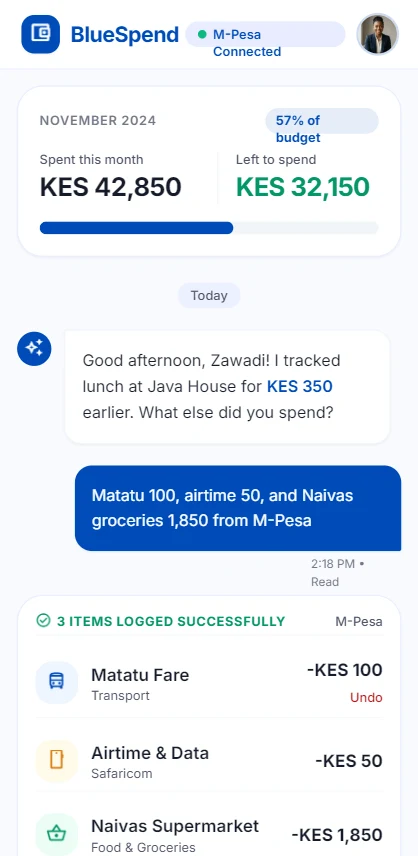
“Lunch 12.50 and a taxi 8.” Talk, chat, paste an SMS, scan a receipt or tap the quick form. Pick whatever is easiest in the moment.
02
BlueSpend sorts it
Amount, merchant, category and account are filled in for you. Wrong category? Fix it once and BlueSpend remembers.
03
See the truth, then improve it
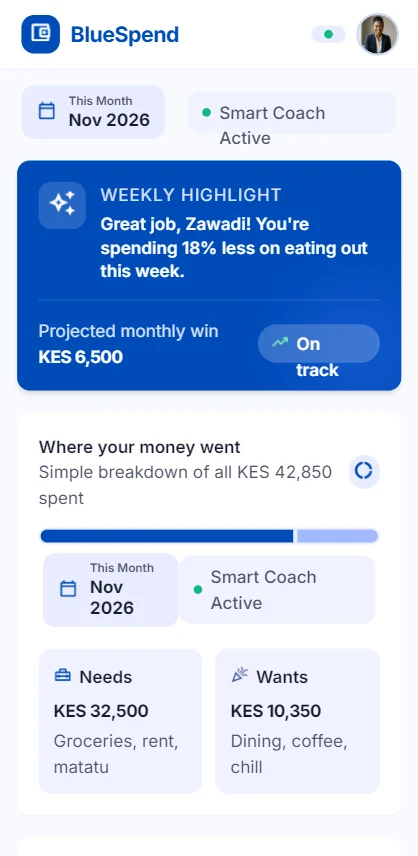
Every Monday you get a short summary of where the money went and one change worth making. Nudges arrive before you overspend, not after.
BlueSpend AI
● Online
✓ 2 ITEMS LOGGED
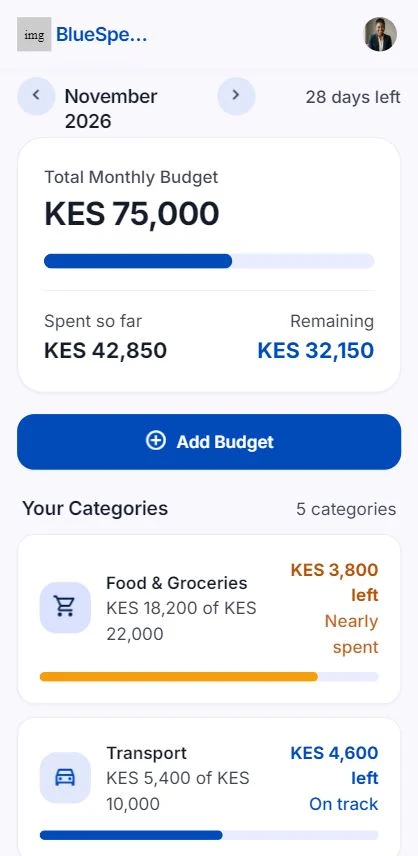
You're at 76% of your Eating out budget with 11 days left.
Quick question on 250
Who or what was this payment for?
Log two expenses in one sentence.
No forms, no dropdowns. BlueSpend understands everyday phrases and mixed items, and tells you where you stand against your budget as it goes. It saves immediately, lets you undo with one tap, and only asks when something is truly unclear.
- Auto-save with undo and edit afterwards
- Learns your merchants and keywords from corrections
- Understands amounts, direction and accounts
Paste the message. Get the entry.
Mobile money and bank texts bury your spending in a wall of SMS. Paste one into BlueSpend and it reads the amount, who it was with and whether money went in or out. No bank login, no account linking.
M-Pesa expense trackerEXAMPLE MESSAGE
SGH4K2LM9P Confirmed. Ksh1,850.00 paid to NAIVAS SUPERMARKET on 14/11/26 at 6:42 PM.
✓ LOGGED
Made for people who've tried budgeting and quit.
Just started working
See where your first salaries go while the habits are still easy to shape.
Read more
Freelancers and side hustlers
Money that arrives in waves, tracked without the admin.
Read more
Students
Make your allowance or stipend last the whole semester.
Read more
Starting fresh this year
A 30-day plan to build a budget that lasts past February.
Read more
Many ways in. One clear picture.
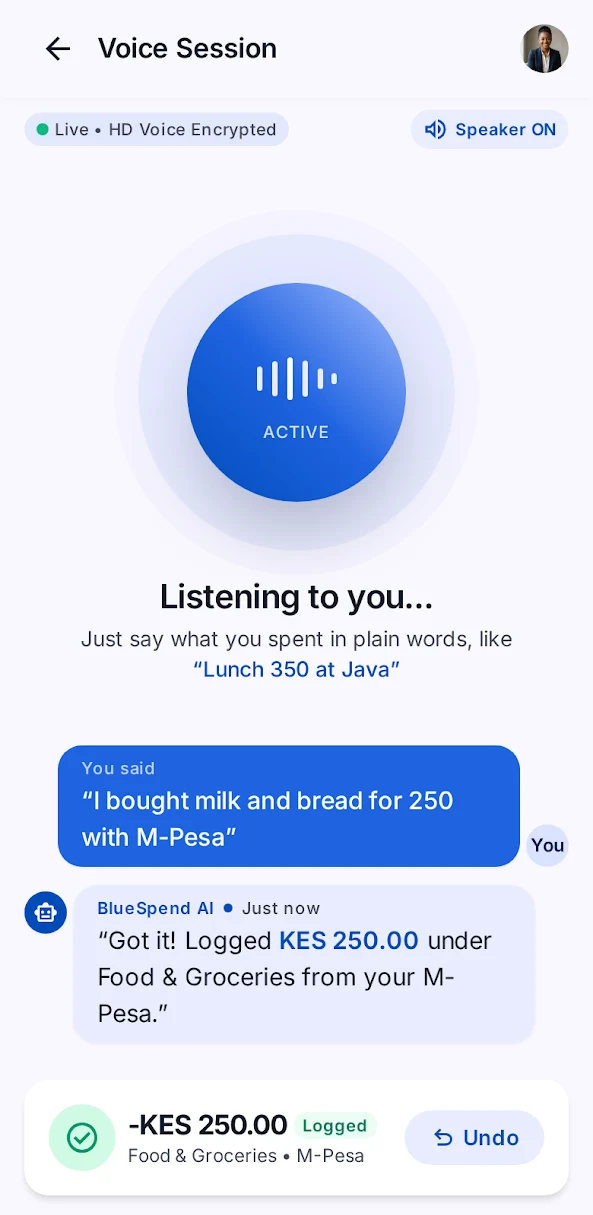
Live voice calls
Talk it through like a call with a friend. Say what you bought, then ask how the month is going.
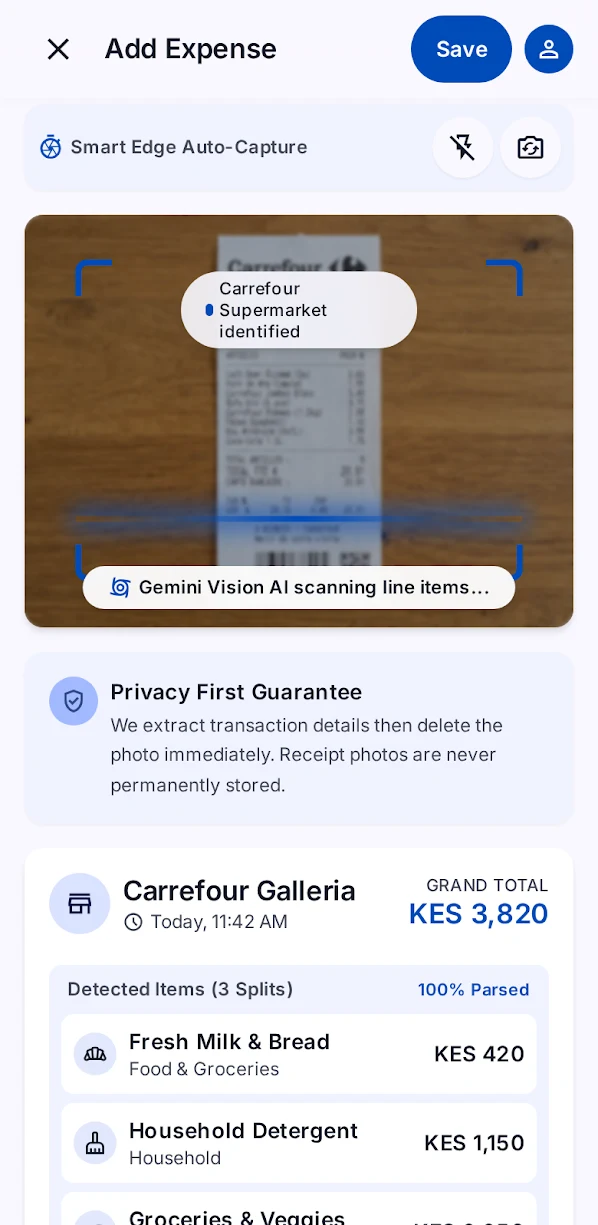
Receipt scanning
Snap a photo. We read the total and items, then delete the image.
Pasted SMS
M-Pesa or bank message in, clean entry out.
CSV import
Bringing a spreadsheet with you? Import it and keep your history.
Works offline
No signal? Entries are saved and sorted when you reconnect.
A spending coach, not a lecture.
Every Monday and every month you get a plain-language summary of what changed, where the money went, and one or two ideas worth trying. Or just ask: “How much did I spend on food last month?” BlueSpend answers from your own numbers.
0
tap to undo
0
ways to log
0
currencies
Your money is your business.
No bank login. No ad trackers. No selling data. Only your first name ever reaches the AI. Export or delete everything whenever you like.
How we protect youNo bank login
You decide what goes in. BlueSpend never asks to connect to your bank.
No trackers
No analytics or crash-reporting SDKs inside the app.
App lock
Protect the app with your fingerprint, face or a PIN.
Yours to export or delete
Download your data any time, or delete your account with a short grace period.
Simple pricing. Start free.
30 days free, no card. Then Basic is $4.99 a month (about KES 649), or Pro at $12.99 for people who'd rather talk than type.
See plansStarting fresh this year? See the 30-day money reset.
Good questions.
What is BlueSpend?
An AI budget tracker you talk to. Say or type what you spent, snap a receipt or paste a bank or M-Pesa SMS, and BlueSpend logs it, sorts it into categories and coaches you with weekly and monthly summaries.
Do I need to connect my bank account?
No. You log by voice, chat, receipt photo, pasted SMS, CSV or a quick form. BlueSpend never asks for your bank login.
Does BlueSpend work with M-Pesa?
Yes. Paste an M-Pesa or bank SMS and BlueSpend reads the amount, the person or business, and the direction (money in or out) for you. If it can't tell what a payment was for, it asks you one quick question.
Does it work outside Kenya?
Yes. BlueSpend is built for anyone who wants a simpler budget. Choose KES, USD, EUR or GBP as your base currency, and log by voice, chat or pasted bank SMS from anywhere.
How accurate is the voice logging?
It's good, and it gets better as it learns your voice, your accent and the words you use. Every entry can be undone or edited, and BlueSpend asks only when an amount or direction is genuinely unclear. Voice works in English for now.
Will the AI save things without asking me?
It saves straight away so logging stays effortless, and you can undo or edit any entry afterwards. It only asks a question when the amount or direction is genuinely unclear.
What if it picks the wrong category?
Change it once. BlueSpend remembers your correction and applies it to similar spends next time.
Is BlueSpend free?
You get a 30-day free trial with no card needed. After that you pick Basic or Pro, or the app switches to read-only so you can still see your data. You can also top up with AI credit packs.
What happens to my voice recordings?
Audio is used to understand what you said and is not kept. You can opt in to keep recordings to help improve accent recognition for your account; if you do, they're deleted after 90 days.
Can I use it offline?
Yes. Entries you make offline are queued on your phone and parsed as soon as you're back online, so nothing gets lost on a patchy connection.
Is my financial data safe?
Your data is encrypted in transit, protected by an optional biometric or PIN app lock, and we use no advertising or analytics trackers. You can export or delete everything at any time.
Is BlueSpend going to tell me I'm bad with money?
Never. It shows you what's happening and offers one small thing to try. No shame, no lectures.

Ready to know where your money goes?
Join the early-access list and be first in when BlueSpend lands on iOS and Android.
30-day free trial. No card required.